VibeShell
Talk to your agent from your phone.
Send prompts to Claude Code inside tmux and press Esc and Ctrl on dedicated keys. Connections go straight to your own server.
1.3.13 · ₩14,000 one-time · iOS 16 or later · Android
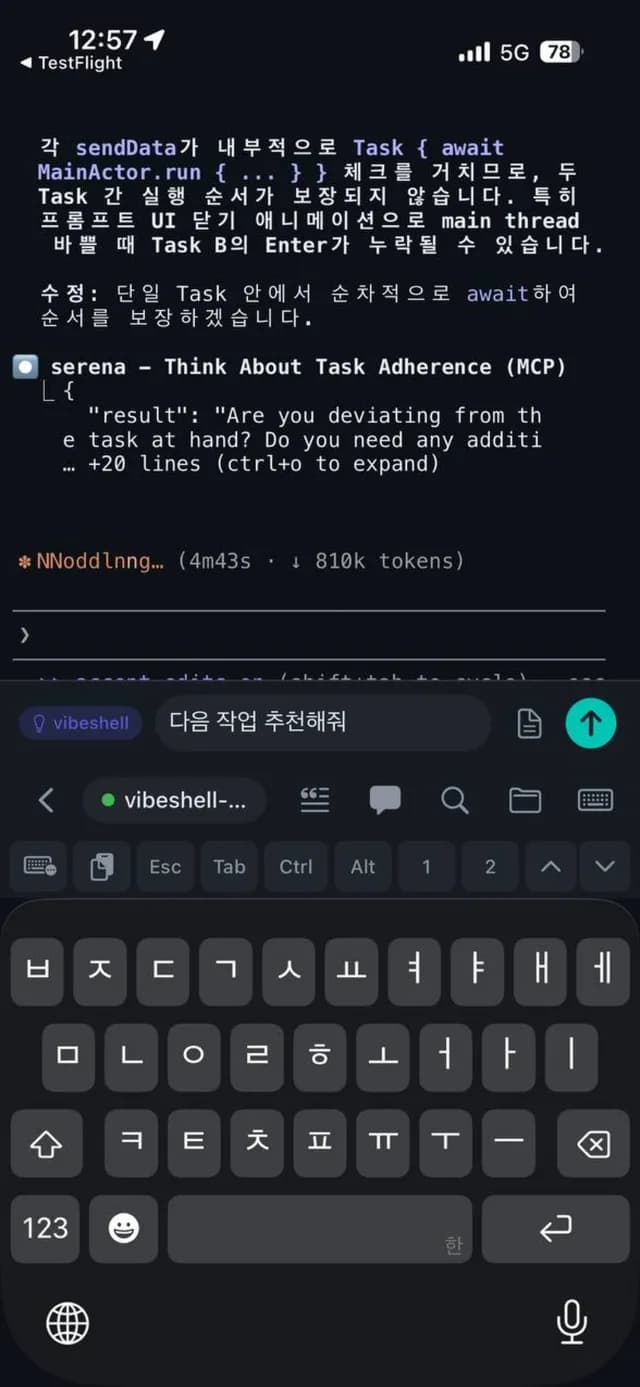
The system keyboard has no Esc key.
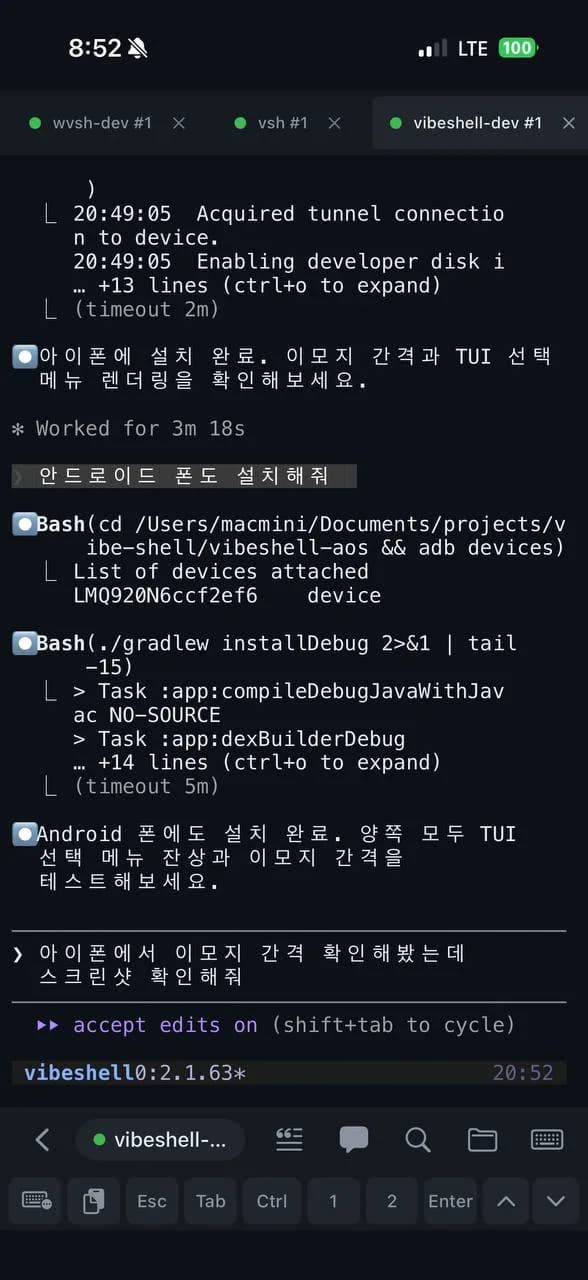
A phone keyboard is built for typing text. It has no Ctrl, no Esc, and no arrow keys, so tmux and vim are out of reach. VibeShell leaves text entry to the OS keyboard and adds one row for control keys.
| Phone keyboard | VibeShell key row | |
|---|---|---|
| Esc, Ctrl, Alt, Tab | None | Present, with haptic confirmation |
| Arrow keys | None | ↑ ↓ plus tmux window numbers 1 and 2 |
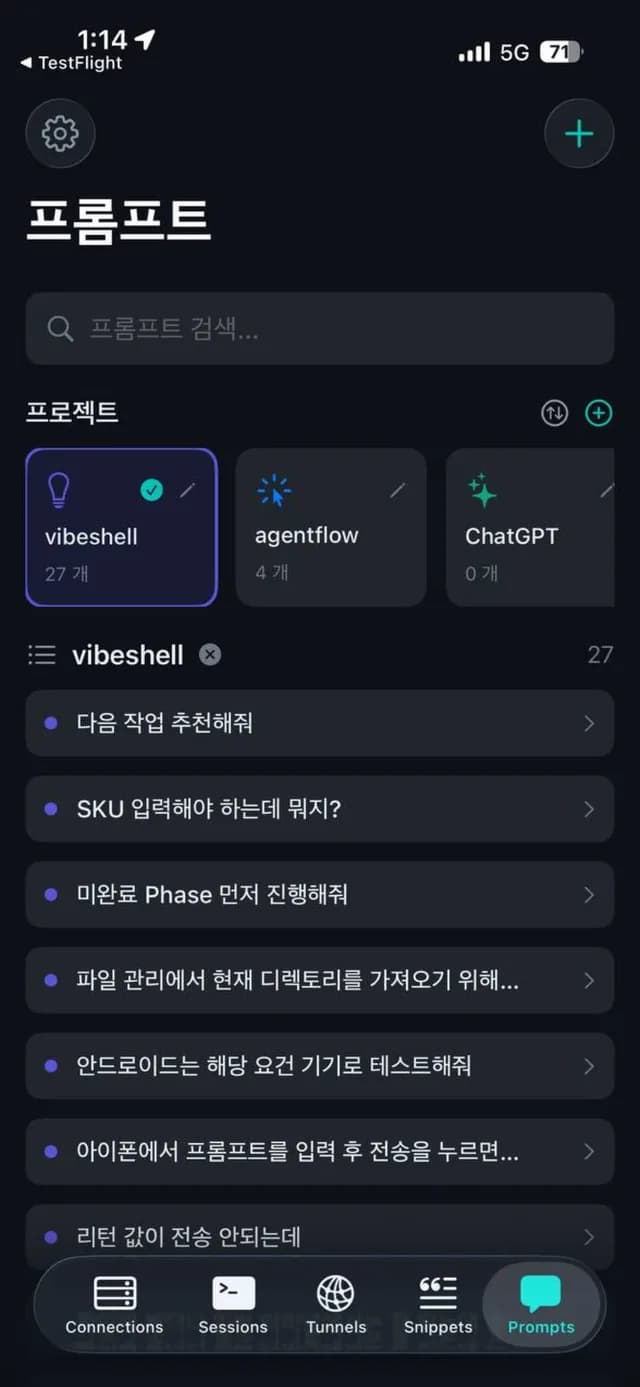
| Prompts in your language | One character at a time into the terminal | Write a sentence in the prompt bar and send it at once |
| Text entry | OS keyboard | OS keyboard as is. The IME is not replaced |
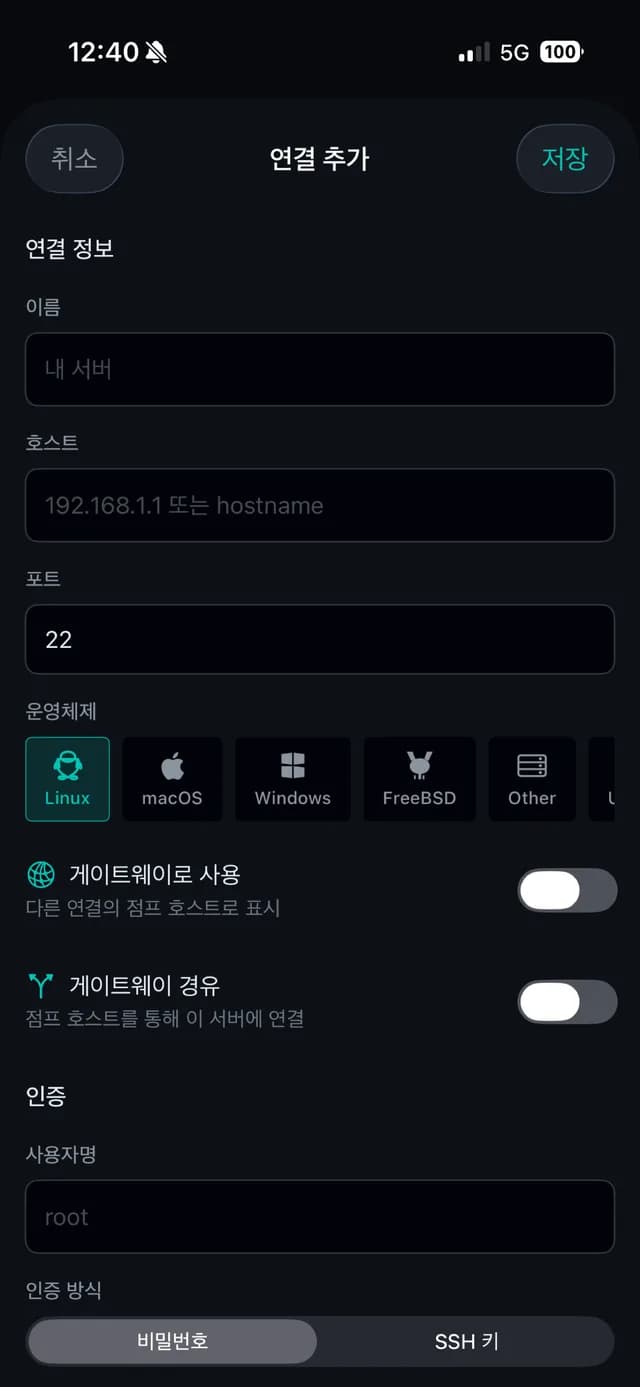
Real screens.
When the agent finishes, your phone rings.
Install VibeShell Hook on your dev machine and you get a push notification when Claude Code finishes a task. Codex CLI, Gemini CLI, Aider, and OpenCode work the same way.
Install
curl -fsSL https://www.wevesolutions.co.kr/downloads/hook/install.sh | bash -s -- --install~/.claude/settings.json
{
  "hooks": {
    "Stop": [
      {
        "hooks": [
          {
            "type": "command",
            "command": "/Users/username/.vibeshell/hook.sh",
            "timeout": 30
          }
        ]
      }
    ]
  }
}
Tap the notification and that session opens. VibeShell Hook →
Straight to your server.
There is no relay. Depending on where the server lives, you use one of three paths.
| Path | When | What you need |
|---|---|---|
| Direct SSH | The server has a public IP or a VPN such as Tailscale or WireGuard | Nothing beyond the host and a key |
| Jump host | The company server sits behind a bastion | A bastion account and the "via gateway" toggle |
| VibeShell Gateway | The server is on a private network with no VPN | One Linux box and a one-line install. Built on Tailscale |
We run no servers and own no network.
VibeShell has no relay server. The app connects to your server directly or through a Gateway you installed. Terminal traffic never passes through us.
It does not keep tunnels alive in the background. iOS closes the socket when the app leaves the foreground. We tried to work around that with the location permission, were rejected ten times in review, switched to an in-app browser, and were approved. The three-week story (Korean) →
It does not replace the OS keyboard. Text goes through the keyboard you already use; only the control keys are separate.
Pricing
| Store | Price | Terms |
|---|---|---|
| App Store | ₩14,000 | One-time purchase. No in-app purchases |
| Google Play | ₩14,000 | One-time purchase. No in-app purchases |
No subscription. Refunds follow each store's process.
Used together
| VibeShell Gateway | Self-hosted proxy for private-network servers. Go, Tailscale |
| VibeShell Hook | Push to your phone when an AI coding tool finishes |
| vibeshell.io | Feature requests, issues, release notes, roadmap |
| Five guides | Connection setup, terminal, SFTP, snippets, tunneling (Korean) |
Specifications
| OS | iOS 16 or later (iPhone, iPad) / Android |
| Size | iOS 43.5 MB |
| Languages | Korean, English |
| Authentication | SSH keys (RSA, ECDSA, ED25519), password, host key verification, Face ID / Touch ID |
| Files | SFTP browse, upload, download. Edit md and json. Preview images and PDF |
| Sessions | Multiple sessions in tabs. Pinch to resize text. Slash-command completion. Widget for quick connect |
| Core | Shared Rust core. Swift on iOS, Kotlin on Android |
Three questions we get
If the connection drops, do I lose my work?
Not if you run tmux on the server. Put tmux new -A -s main in the connection's startup snippet and every connection lands in that session.
My company server is behind a VPN.
If the VPN is on your phone, direct SSH works. If not, use the bastion as a jump host or install Gateway on one Linux box inside the network.
Can I get a refund?
Refunds go through the App Store or Google Play. We do not handle payment ourselves.